
Now on iOS & Android
Digital Prescription & Patient Management, the Smarter Way.
The offline prescription and patient management app for doctors and solo clinics in India. Manage patients, visits, and vitals, and print clinic-letterhead prescriptions—fast, accurate, and simple. Works offline. No accounts — patient and clinic information stays under your control.
Coming soon to iOS & Android. Join the waitlist — one email at launch, no spam.
Watch it work
A full visit, in half a minute.
Watch a real visit go end to end on iPad — find the patient, record the visit, drop in a saved template, and hand over a clinic-letterhead prescription. All of it offline, encrypted, and on-device.
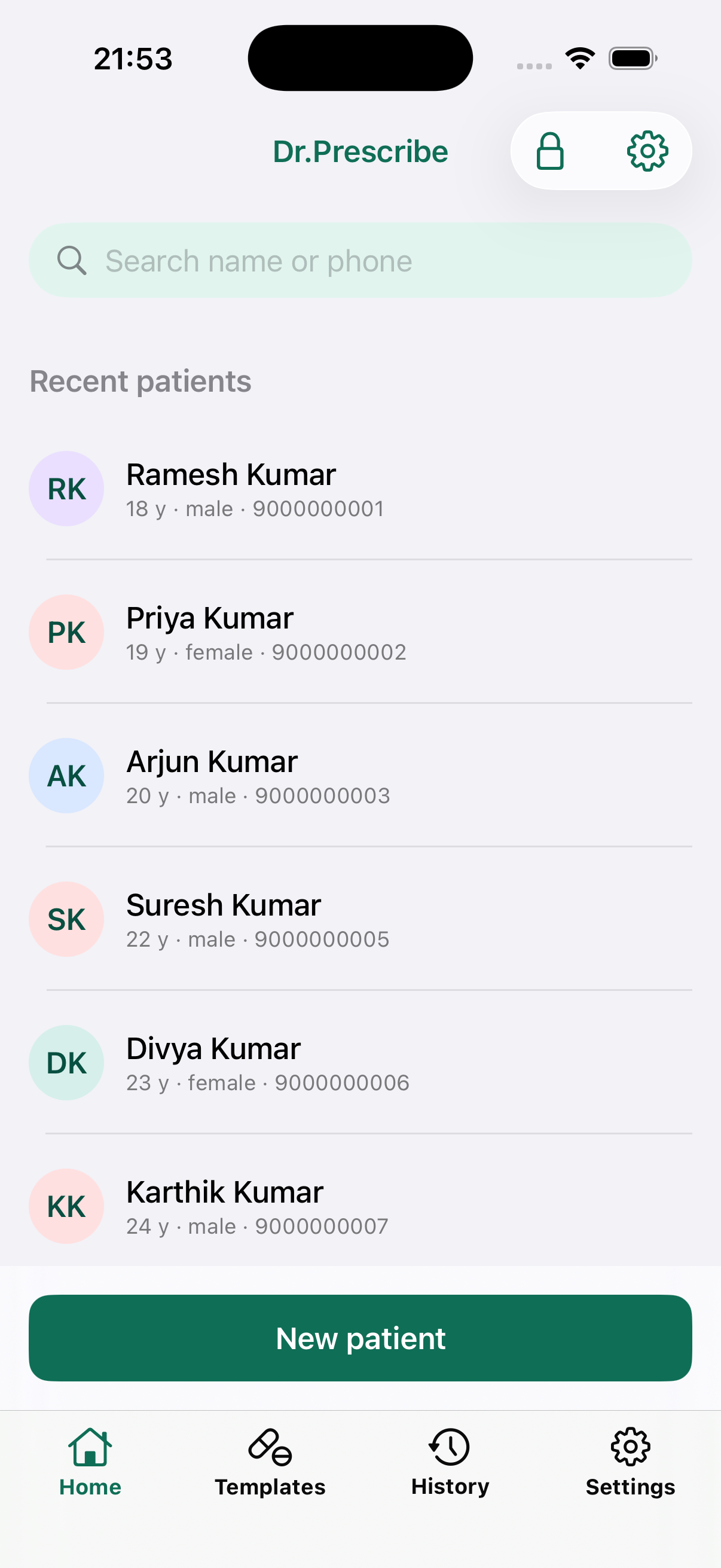
- PatientsEvery patient's history, one tap away
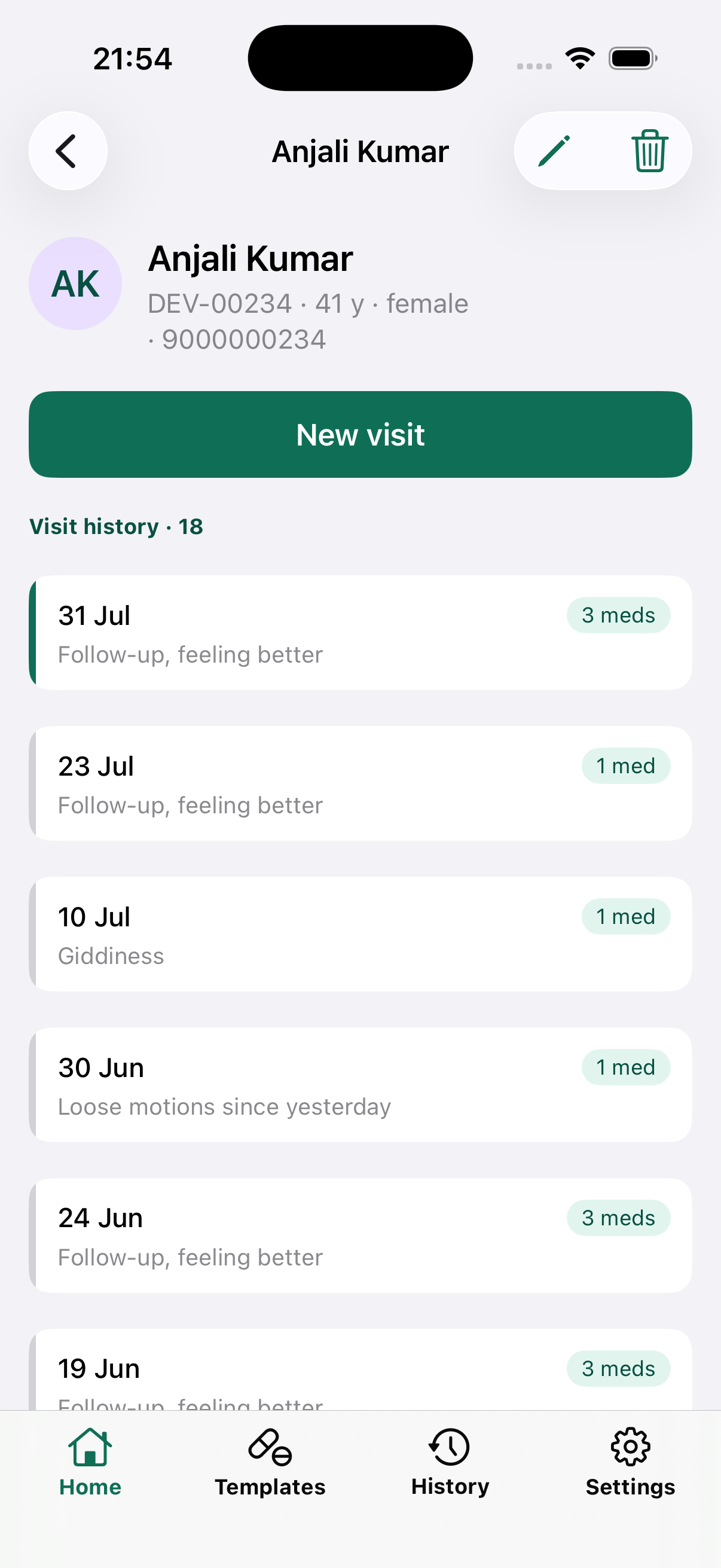
- The visitCapture complaints and only the vitals you took
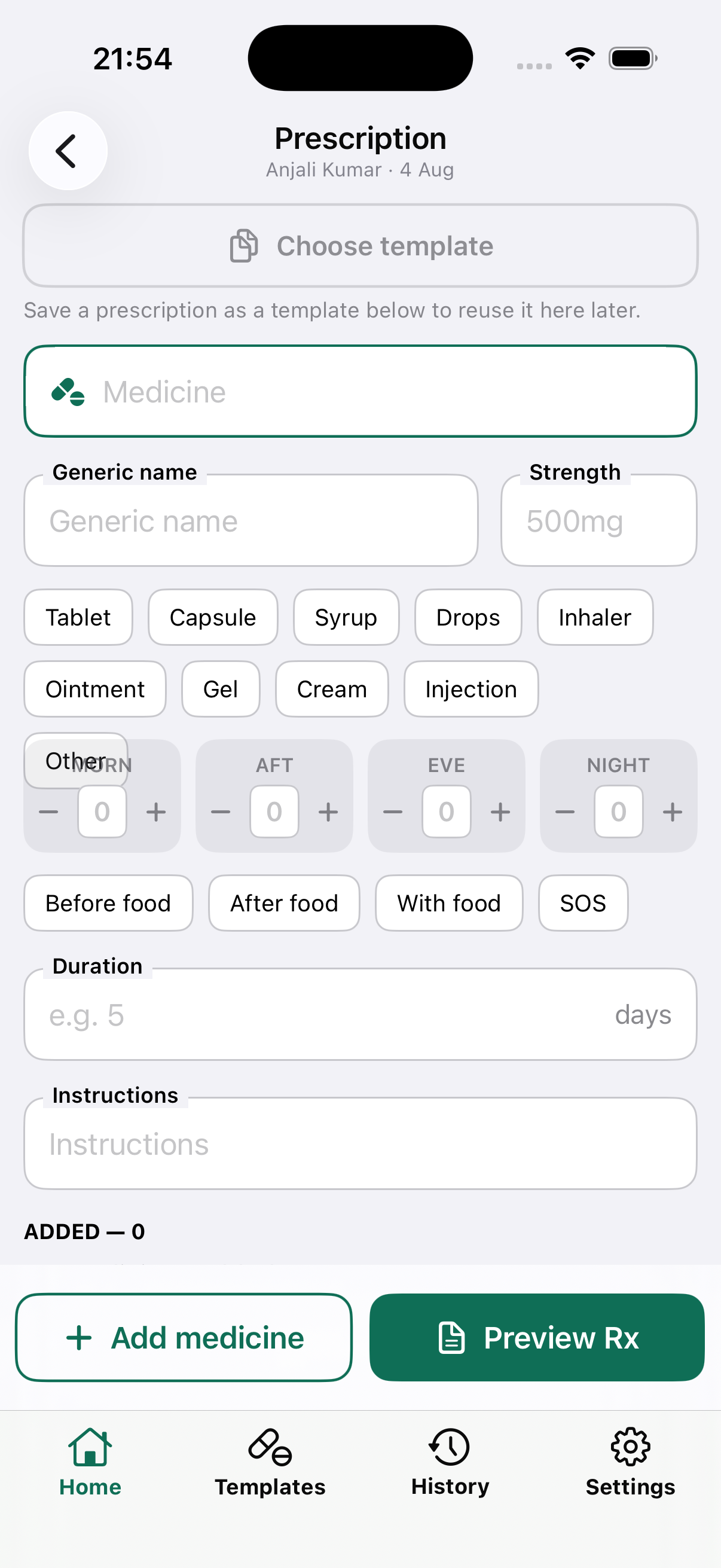
- TemplatesChoose a template — the medicines fill in instantly
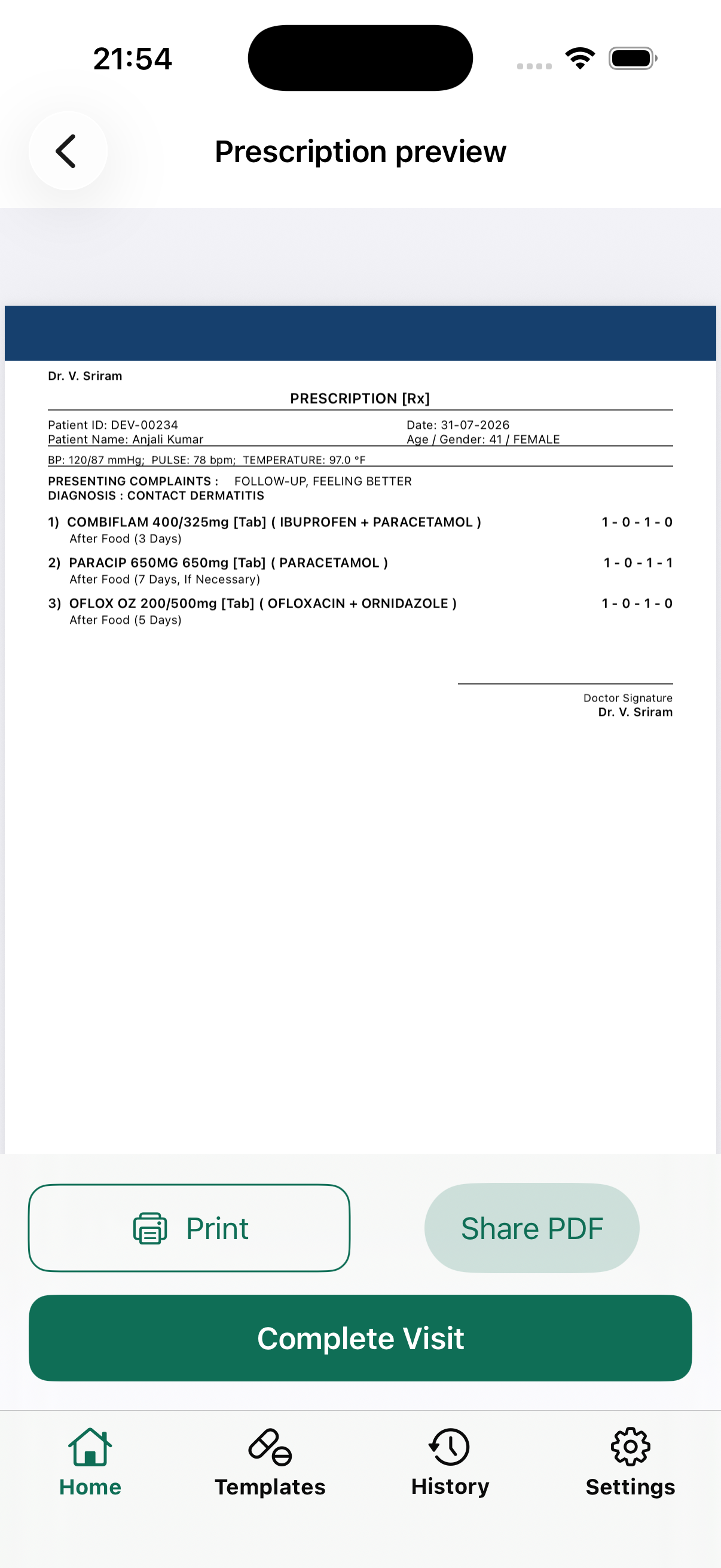
- PrescriptionA clean prescription, on your clinic letterhead
See it in action
Patient walks in to printed prescription — watch it happen.
Five taps, entirely offline. Tap a step to jump to it.
Everyday workflow
From "patient walks in" to a printed prescription — under a minute.
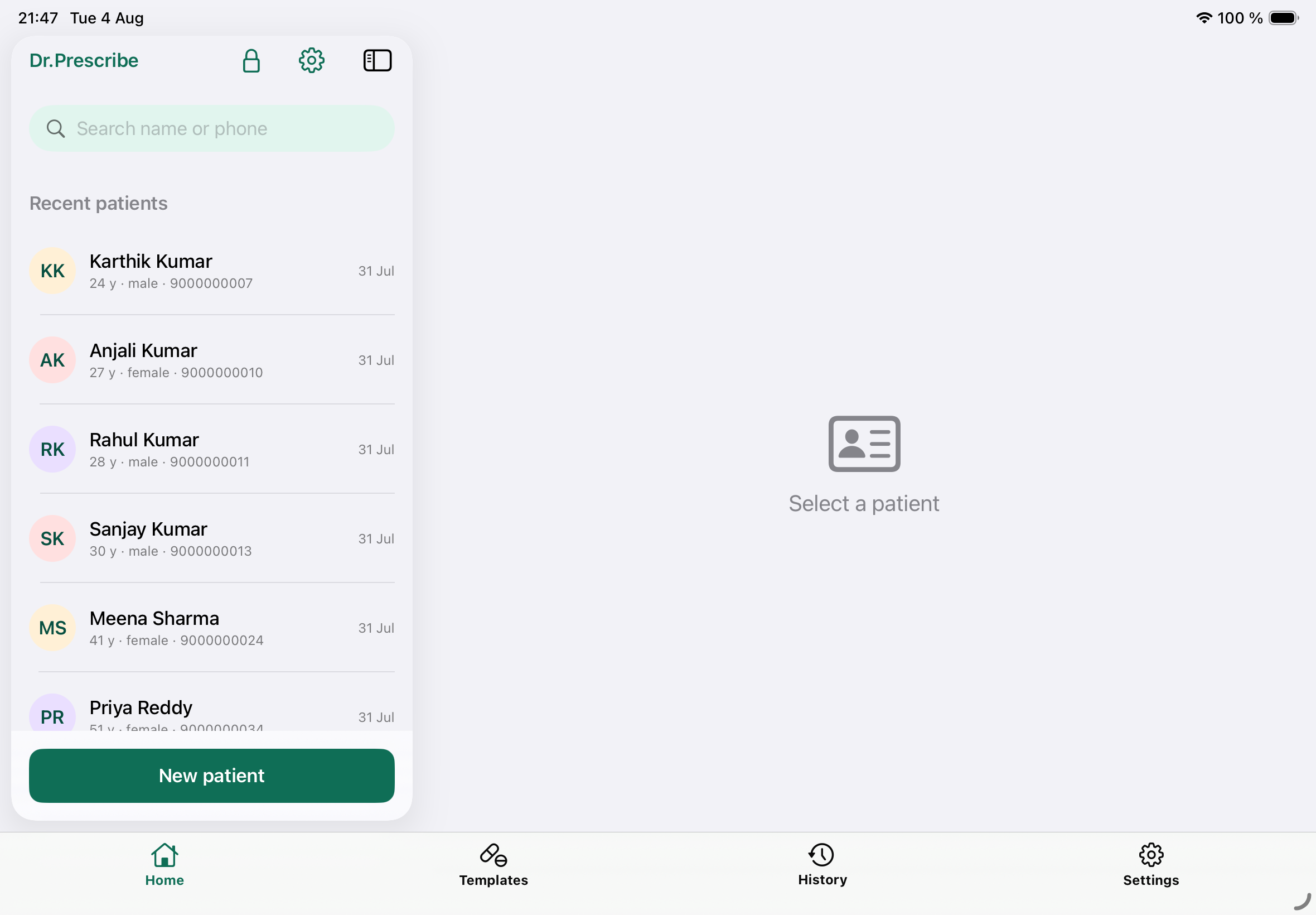
Patients, found instantly
Every patient gets a permanent, clinic-prefixed ID. Start typing a name or phone number and the list filters as you type — still instant with over 1,000 patients on the phone.
- Full visit history at a glance, newest first
- Safe deletion — soft-delete by default, hard-delete needs a second confirm
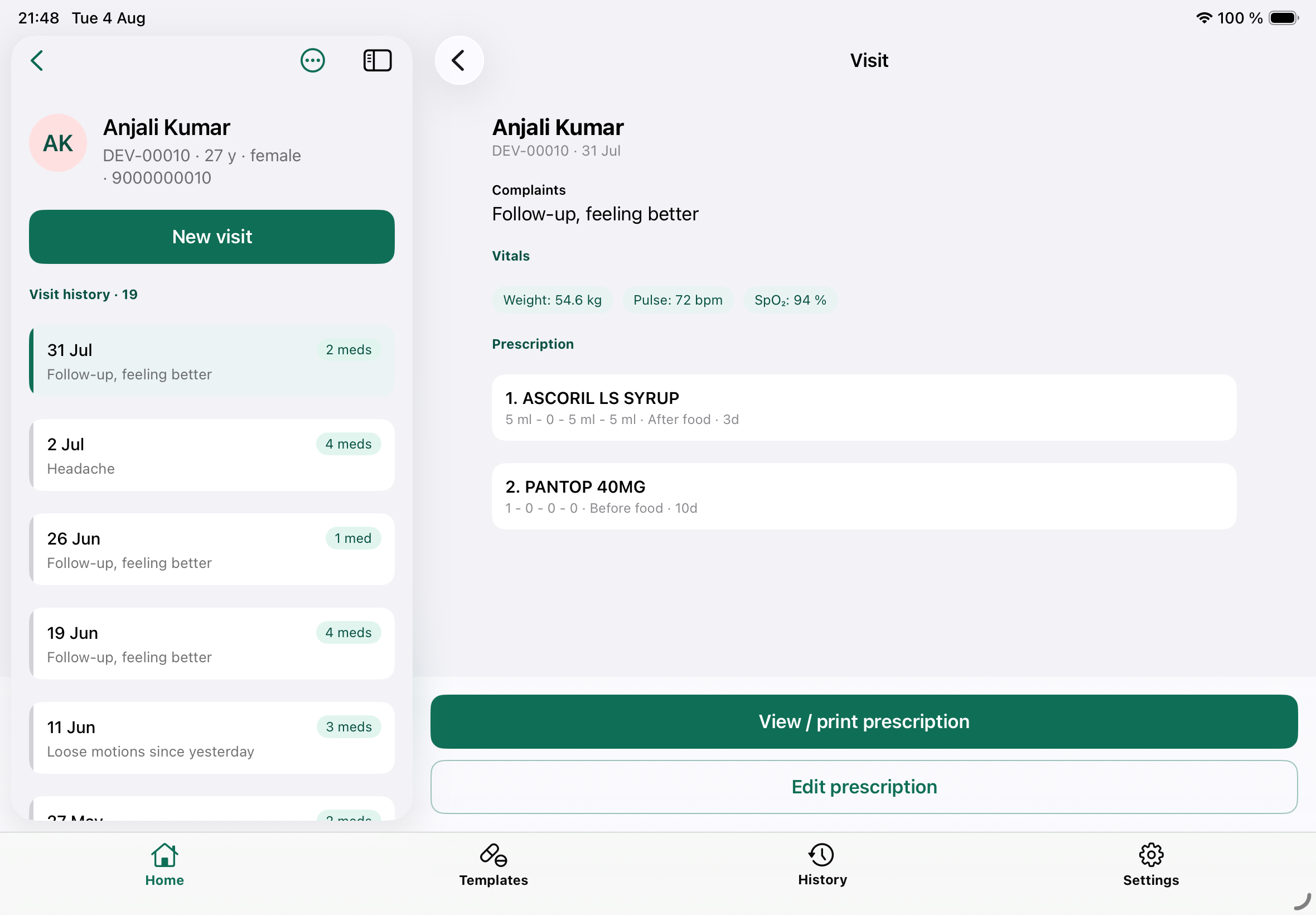
Every visit, one tap away
Complaints, vitals and the prescription are saved together on every visit. Reopen any past visit to reprint or edit its prescription in seconds.
- Full visit history at a glance, newest first
- Reprint any past visit's prescription, any time
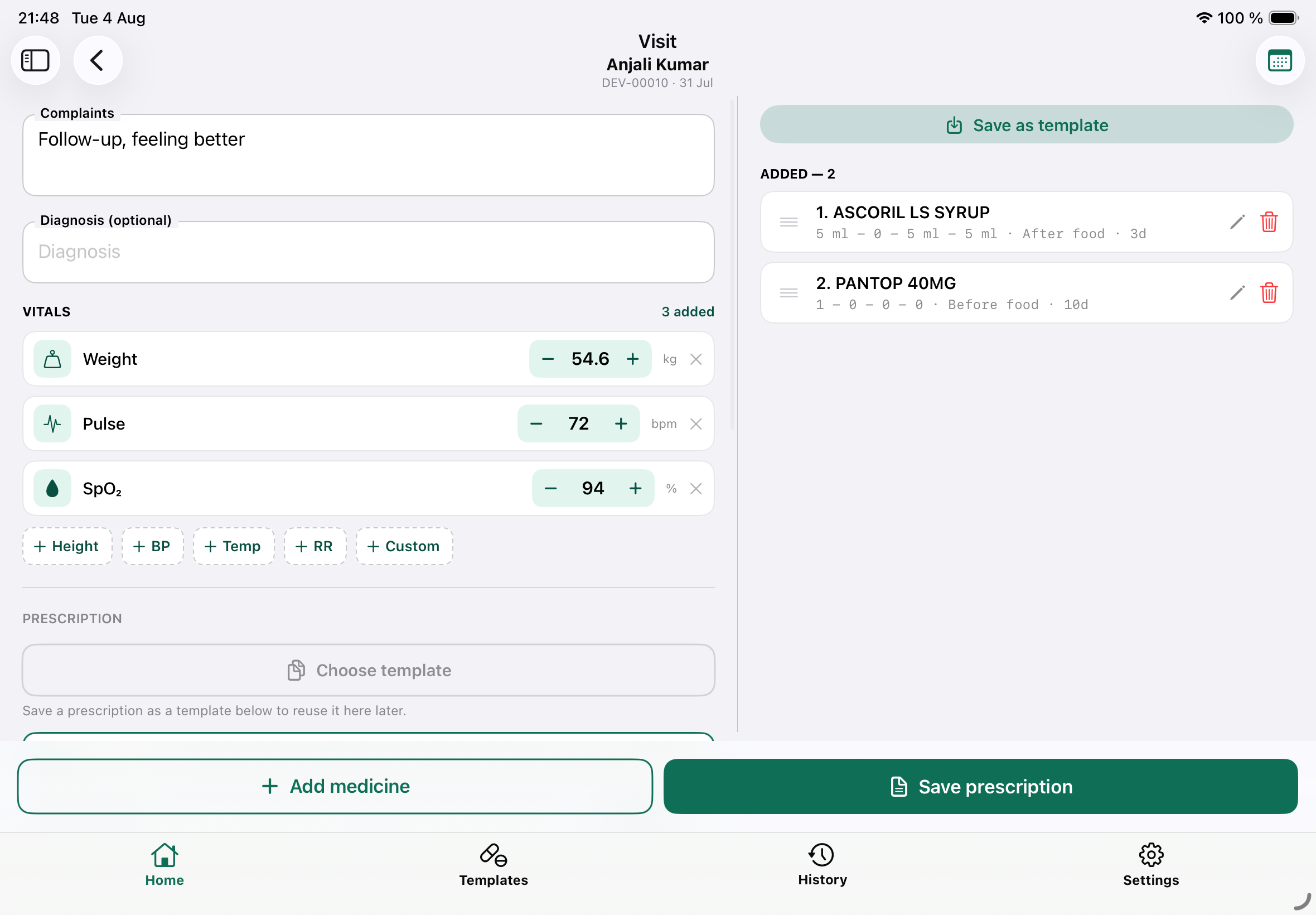
Prescriptions that match how you write
Morning–Afternoon–Evening–Night dosing with +/− steppers, before/after/with food, duration, SOS, and free-text instructions per medicine.
- Drug autocomplete that learns your prescribing pattern — no internet drug database
- Vitals, complaints and diagnosis captured on the same screen
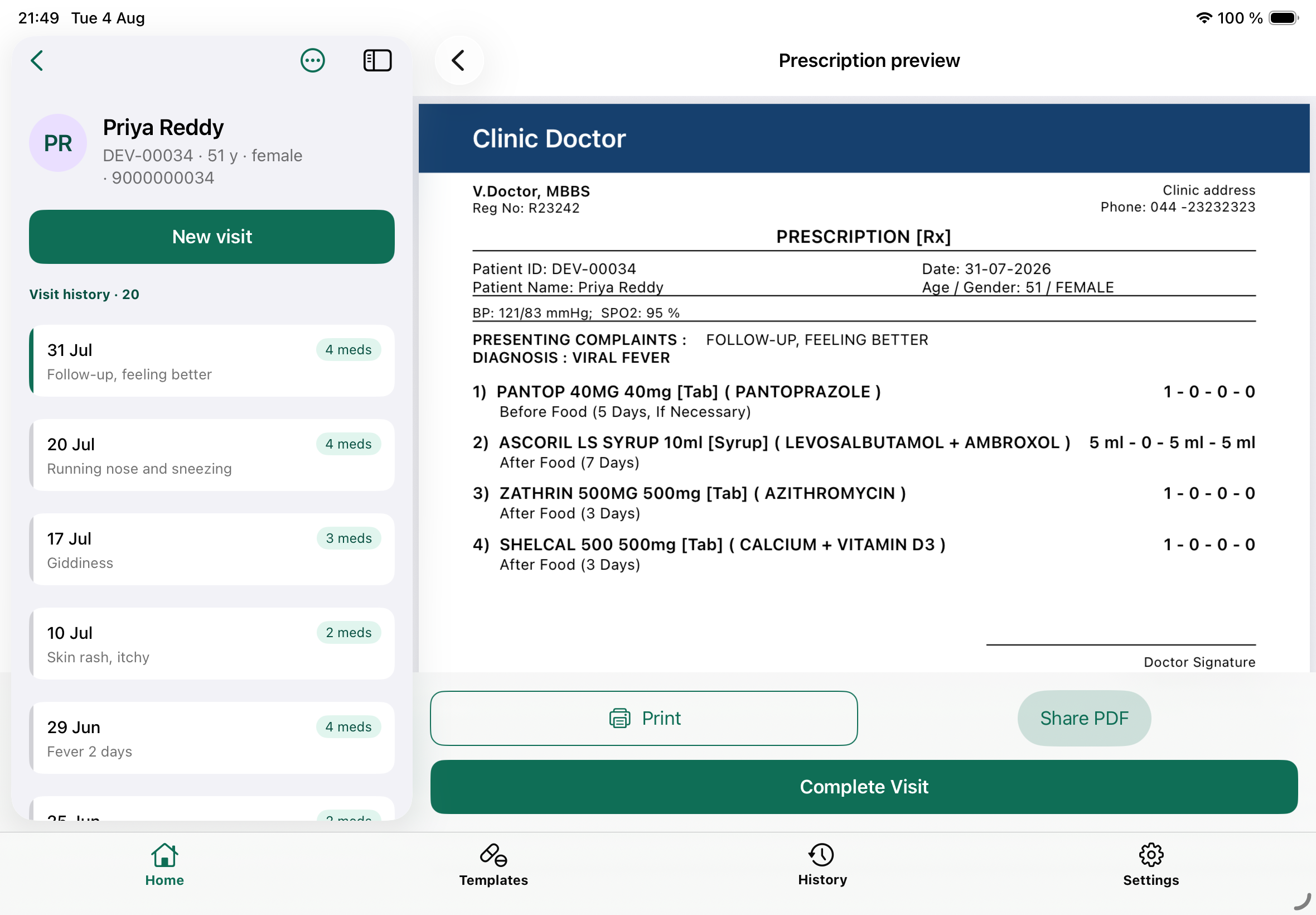
Your letterhead, every time
Clinic name, your qualifications, registration number, logo and appointment numbers — pulled from your editable profile onto a print-exact A4 prescription.
- Print via the OS dialog, or share the PDF straight to WhatsApp / email
- Reprint any past visit's prescription, any time
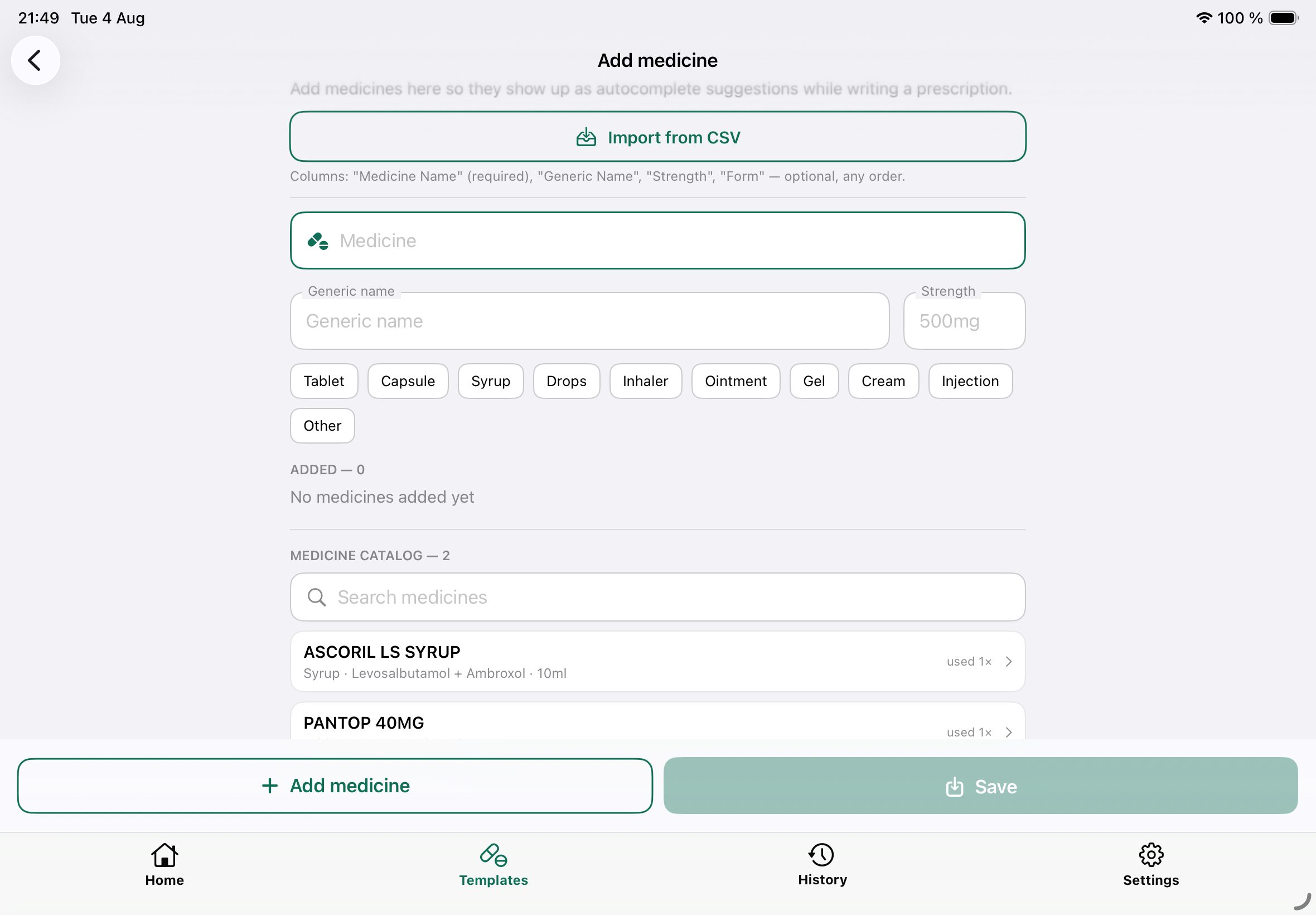
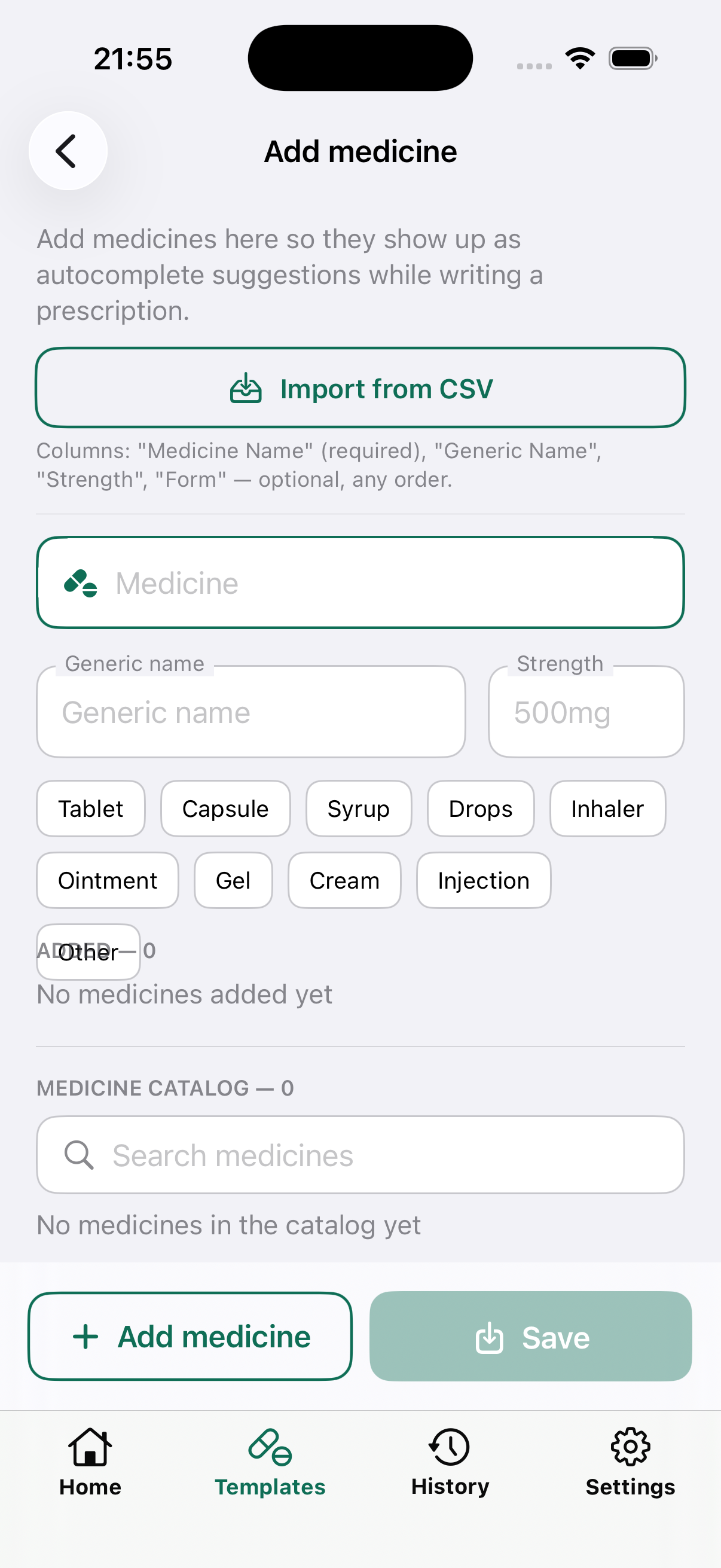
Build your own medicine catalog
Add medicines once — with generic name, strength and form — and they show up as autocomplete suggestions every time you prescribe. No internet drug database, just your own prescribing habits.
- Import your medicine list from a CSV in one go
- Save a complete prescription as a reusable template
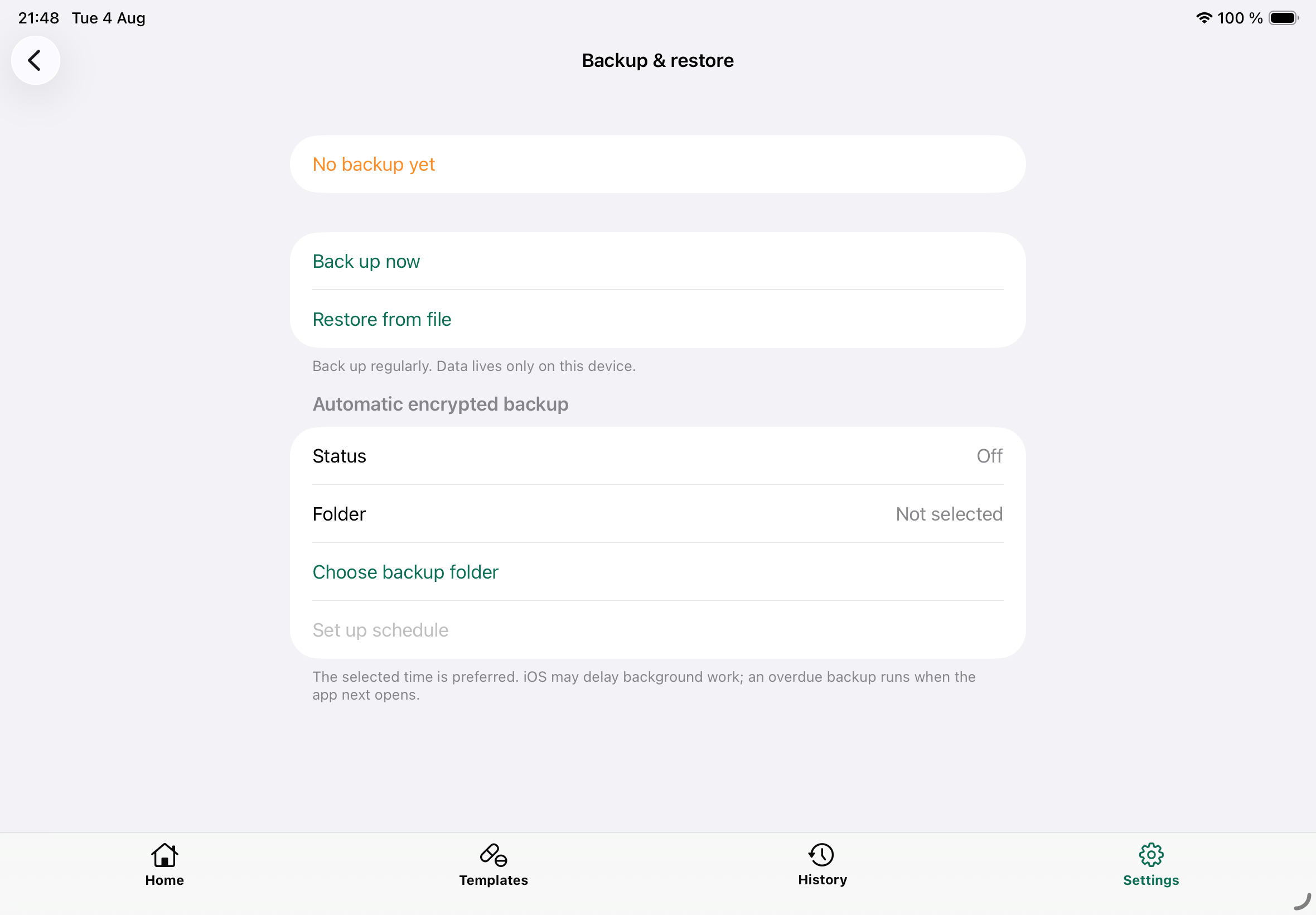
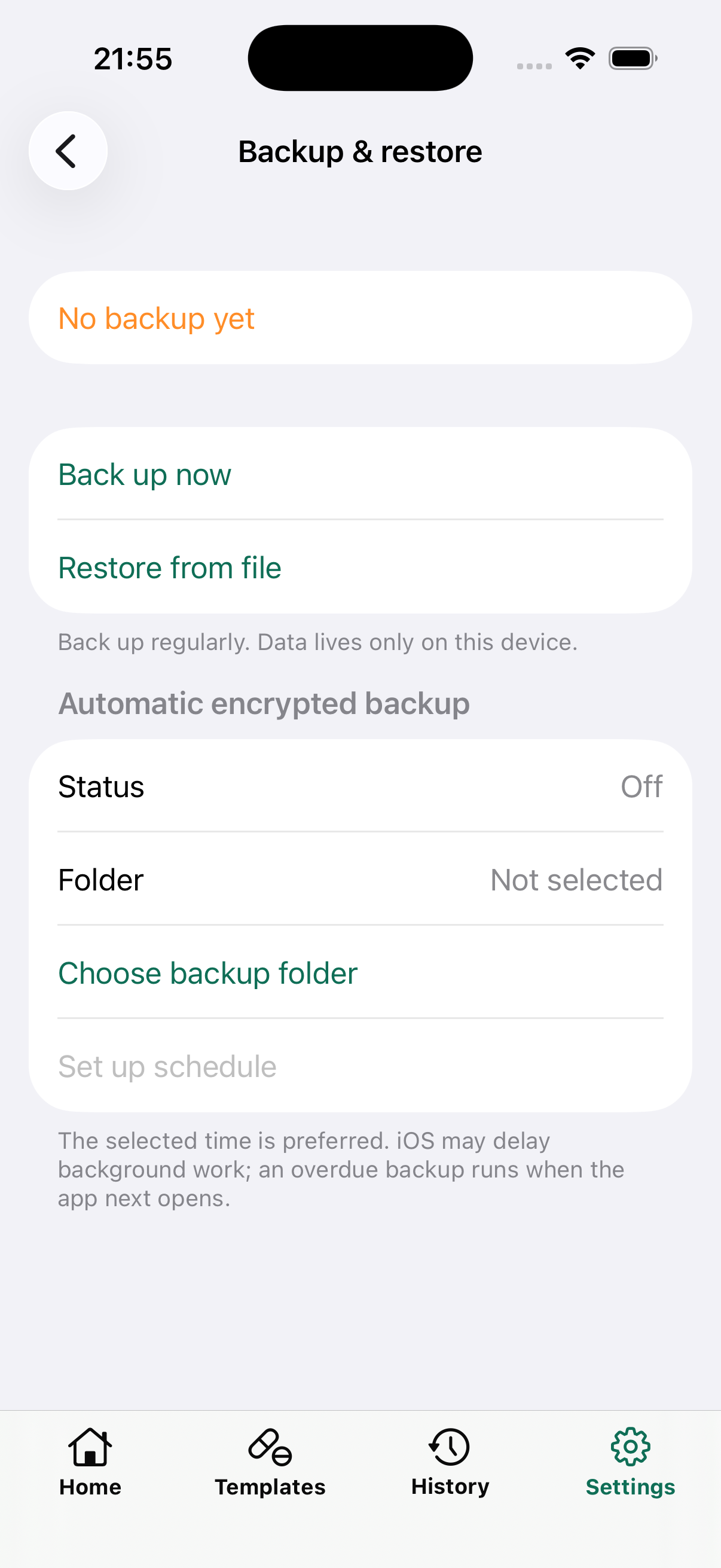
Device loss shouldn't mean data loss
One tap creates a passphrase-protected backup file — save it to Drive, email, or a pen drive. Restore replaces or merges into existing records, on either platform.
- Optional automatic encrypted backups on a schedule you set
- Wrong passphrase or a damaged file is refused cleanly — your existing data is never touched
The whole point
Offline by design. Patient data stays under your control.
Dr.Prescribe does not transmit patient or clinic information to the developer or any cloud service. StoreKit communicates with Apple solely to provide subscriptions.
No patient data sent to us
Dr.Prescribe does not transmit patient or clinic information to the developer or any cloud service. StoreKit communicates with Apple solely to provide subscriptions. Optional “Connect to computer” sync links your phone directly to your own computer over local Wi‑Fi.
No accounts, no login
There's no sign-up, no email verification, no "create your workspace." Install the app and start recording patients — there is no server-side identity to manage or leak.
Encrypted at rest
Every record is stored in a SQLCipher-encrypted database, keyed to your device's secure hardware store. A lost or stolen phone means unreadable files, not an exposed patient list.
Zero analytics, zero tracking
No crash-reporting SDK, advertising SDK, or usage analytics collects your patient or clinic information.
Backups you control
Export an encrypted, passphrase-protected file whenever you choose. It only ever leaves the device because you moved it — to a drive, an email, a folder you own.
Built for India's DPDP Act
Patient and clinic information is not automatically uploaded to the developer or a cloud service. You choose when and where to share prescriptions or encrypted backups.
Why Dr.Prescribe
See how that plays out next to the alternatives.
Most clinic apps run on a vendor's server by design. Here's what that trade-off actually looks like, feature by feature.
| Feature | Dr.Prescribe | HealthPlix | Practo Ray | MedKyo | myRxPad | Kavum |
|---|---|---|---|---|---|---|
| Works without internet | Core clinical features | Partial (syncs later) | No | Claimed, unverified | No (login blocked offline) | Free tier only |
| Account required | No | Yes | Yes (verified mobile) | Yes (phone+OTP) | Yes | Pro tier only |
| Patient data location | Your device | Vendor cloud (AWS) | Vendor cloud | Vendor servers (India) | United States | Device (free) / Firebase (Pro) |
| Developer-hosted patient data | None | AWS RDS/S3/Redshift/EC2 | Cloud (undisclosed) | India-hosted servers | Supabase/AWS US | Firebase/Google |
| Vendor can access your data | No | Yes (analytics/BI) | Yes (anonymized to 3rd parties) | Yes (AI model training) | Yes (sub-processors) | No (free tier) |
| Data deletion guarantee | Yes (it's your device) | Policy claims, Play says available | Claims deletion, Terms push backup to user | 90-day post-closure | Email request | Until user deletes |
| DPDP Act risk exposure | Minimal (no data transfer) | Not referenced in policy | Not referenced in policy | Referenced, but no breach clause | Referenced, US-hosted data | Referenced, may host outside India |
Swipe to compare on smaller screens.
Grows with your practice
Start solo. Scale to a clinic — on your terms.
Solo Practice
Everything a single doctor needs to run consultations end to end, entirely offline.
- Unlimited patients, visits and prescriptions
- One editable clinic/doctor profile & letterhead
- Growing medicine, complaint and investigation autocomplete
- PIN + biometric lock, encrypted backup & restore
- Works on phone and tablet, light and dark mode
Clinic Setup
The same on-device, zero-cloud model — extended for more than one doctor under a single roof.
- Multiple doctor profiles, one shared patient roster
- Front-desk / staff roles with scoped access
- Cross-doctor visit history, still 100% on-device
- Same encrypted backup format — no migration required
Also on iPad
A split view built for the consultation desk.
On iPad, your patient list, the visit you're editing, and the prescription stay on screen together — sized for a desk, not a pocket.
Your prescriptions. Your phone. Nobody else's server.
No ads, no data collection of any kind.
Coming soon to iOS & Android. One email at launch, no spam.
Questions
Frequently asked
Dr.Prescribe does not transmit patient or clinic information to the developer or any cloud service. Information leaves your device only when you initiate sharing, printing, backup, or local Wi‑Fi sync. StoreKit communicates with Apple solely to provide subscriptions.
The developer keeps no copy of your records. If you lose the device without a usable backup saved somewhere else, the records cannot be recovered. Create encrypted backups regularly and keep the passphrase safe.
Core clinical features — patient records, prescriptions, autocomplete, PDF generation, and printing — run on-device without internet. An internet connection is required when StoreKit contacts Apple to load, purchase, restore, or verify a subscription. Optional computer sync uses your local Wi‑Fi network.
Today, Dr.Prescribe is built for a single doctor's solo practice. Clinic Setup — multiple doctor profiles sharing one patient roster, still fully on-device — is in development. See the Solo & Clinic section above.
Yes. The database is encrypted at rest with SQLCipher (AES-256), with the key generated on-device and held in the OS's hardware-backed secure store (Android Keystore / iOS Keychain) — never hardcoded, never logged, never synced anywhere.